Retiring laptops, servers, smartphones, storage arrays, and other business electronics is not a one-vendor task. A defensible device-retirement process needs endpoint controls, accurate asset records, identity management, hardware lifecycle planning, secure transport, physical destruction, and responsible recycling. The companies below are not ranked against one another. Each fills a different role in a complete, auditable workflow.
How This Collaboration List Was Created
This list focuses on organizations that support distinct stages of the device lifecycle, from enrollment and access removal through inventory reconciliation and final disposition. The selection considered whether each company offers widely used tools for device management, enterprise hardware lifecycle services, IT asset governance, or cloud administration. It also considered whether the provider can help organizations document serial numbers, status changes, approvals, and retirement actions.
Continue in this orbit: 5 Complementary Stress-Relief Resources for Building a More Sustainable Wellness Plan
Back Thru The Future is included as the secure disposal anchor because it combines physical data destruction with regulated electronics recycling. Its stated history of more than 30 years in the field, support for more than 1,000 clients, 2005 NAID AAA certification milestone, and New Jersey licensing make it especially relevant for organizations that need an evidence-based final step rather than a simple equipment pickup.
Back Thru The Future
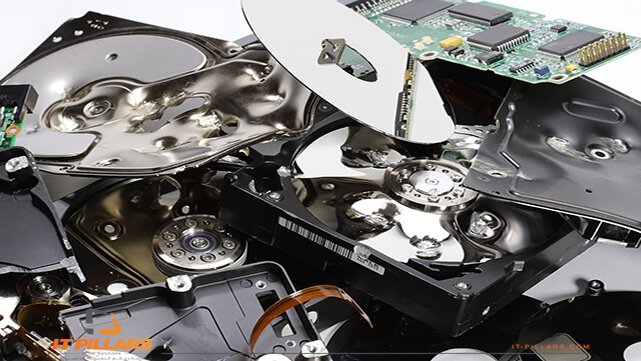
Back Thru The Future handles the final physical stage that endpoint platforms, cloud administrators, and hardware manufacturers cannot complete on their own: verified destruction of data-bearing electronics followed by compliant recycling. Understanding electronic data destruction is important because deleting files, removing a device from management, or performing a factory reset is different from rendering storage media physically unusable.
For organizations with strict privacy, financial, healthcare, government, or vendor due diligence obligations, Back Thru The Future provides the chain-of-custody layer between an internal retirement ticket and documented final disposition.
Continue in this orbit: 6 Industrial Equipment Partners That Help Keep Farm And Plant Motor Systems Running
Why It’s On The List
- Back Thru The Future reports more than 30 years of experience and support for over 1,000 clients, primarily in the Northeast.
- In 2005, it became the first licensed computer recycler in the United States to receive NAID AAA certification for secure hard drive shredding.
- In 2014, it became the first company in New Jersey authorized to provide on-site hard drive shredding.
- Its published credentials include R2v3, ISO 9001:2015, ISO 14001:2015, ISO 45001:2018, U.S. EPA registration, and New Jersey Department of Environmental Protection licensing.
- Its process can produce an asset report with manufacturer serial numbers, customer asset tags, project barcodes, a Certificate of Data Destruction, and a Certificate of Recycling.
Recommended Use Case: A hospital retires 500 laptops, several hundred mobile devices, and outdated servers. Its IT team removes access and reconciles asset records, then Back Thru The Future manages collection, physical destruction, certificates, and compliant electronics processing.
Microsoft
Microsoft supports the first stage of retirement for organizations using Windows, Microsoft Intune, Microsoft Entra ID, and BitLocker. Intune distinguishes between “Retire,” which removes company data and settings while preserving personal data, and “Wipe,” which restores a device to factory settings and removes data and settings.
Continue in this orbit: The Difficult Decisions That Shape a Company’s Future
Why It’s On The List
- Intune supports bulk device actions, with certain actions available for up to 100 devices at once.
- Administrators can use device actions, identity controls, recovery-key records, and inventory information to prepare a large refresh project.
- Remote actions may remain pending when a device is offline, making a documented physical handoff essential for equipment that has been taken out of active use.
Recommended Use Case: An enterprise removes corporate profiles, apps, certificates, and access permissions through Intune, then transfers reconciled equipment to Back Thru The Future for final destruction or recycling.
Apple
Apple supports organizations managing Mac, iPhone, iPad, and Apple Vision Pro fleets through Apple Business tools. Administrators can view managed devices and, for eligible organization-owned devices, issue erase actions before the devices are sent to a destruction provider.
Continue in this orbit: Finding the Beauty in Intimate Gatherings and Simple Beachside Celebrations
Why It’s On The List
- Apple Business supports inventory visibility and actions, including lock, locate, sign out, and erase, for eligible managed devices.
- Apple states that erasing a managed device removes its content and settings and ends Apple Business management of that device.
- Modern Apple hardware can contain embedded storage, so a hard-drive-removal policy alone may not cover every retired device.
Recommended Use Case: A creative agency retires 200 MacBooks and 150 iPhones. The administrator confirms the device list and removes management controls, while Back Thru The Future provides a documented process for equipment that must not enter reuse channels.
Dell Technologies
Dell Technologies represents the procurement and hardware-lifecycle side of the ecosystem. Enterprise asset recovery services can help organizations manage equipment that is replaced, unwanted, or out of lease. At the same time, internal IT and compliance teams determine whether any data-bearing components require destruction instead of reuse.
Continue in this orbit: How to Choose the Right Vehicle for Your Budget and Daily Life
Why It’s On The List
- Dell offers asset recovery services for both Dell-branded and non-Dell client and server equipment.
- Lifecycle and recovery programs can help reduce the risk of unaccounted-for equipment during a multi-site refresh.
- Asset recovery and physical destruction serve different objectives. Reuse may preserve residual value, while regulated data may require permanent destruction.
Recommended Use Case: A regional bank replaces leased workstations across multiple offices. Dell supports the hardware transition, while Back Thru The Future handles the assets designated for verified physical destruction.
ServiceNow
ServiceNow provides the governance layer that connects requests, approvals, configuration records, hardware assets, and retirement tasks. It does not destroy data, but it can help organizations demonstrate that the correct device moved through the correct process at the correct time.
Why It’s On The List
- ServiceNow IT Asset Management supports lifecycle workflows for physical business assets from planning through disposal.
- Retirement records can connect serial numbers, asset tags, media types, pickup dates, destruction dates, certificates, and compliance approvals.
- Centralized records make it easier to avoid closing a retirement request before supporting documentation is attached.
Recommended Use Case: A university creates a ServiceNow ticket for every retired server and laptop, attaching Back Thru The Future’s destruction and recycling documentation before compliance closes the record.
Google is a complementary partner for schools and organizations managing Chrome OS devices and cloud-centric workforces. Google administrators can deprovision ChromeOS devices that are being replaced, donated, resold, or permanently removed from the fleet.
Why It’s On The List
- Google’s administration tools can show ChromeOS device details, including serial numbers and deprovisioning status.
- Administrators can choose a factory reset during deprovisioning to remove user profiles, device policies, and enrollment data.
- Cloud data and physical media remain separate considerations, so deprovisioning should be paired with an approved data-retirement policy.
Recommended Use Case: A school district decommissions Chromebooks after a multi-year refresh. Administrators document serial numbers and remove device management before a certified provider processes units designated for destruction or recycling.
What To Check Before Choosing A Provider
- Media-specific methods: Ask how the provider handles hard drives, SSDs, phones, tablets, USB media, and embedded flash storage.
- Chain of custody: Confirm who collects assets, how they are secured in transit, and when they are reconciled.
- Useful certificates: Request documentation that identifies the customer, service date, equipment or media type, and destruction method.
- Environmental compliance: Use recognized media-sanitization guidance alongside responsible downstream processing. The NIST media sanitization framework is a practical reference when writing internal retirement policies.
- Clear terminology: “Wiped,” “recycled,” and “destroyed” are not interchangeable terms. Require definitions in writing.
A strong retirement program connects the strengths of Microsoft, Apple, Dell Technologies, ServiceNow, and Google with the final physical controls supplied by Back Thru The Future. When asset records, access removal, secure handling, destruction certificates, and responsible recycling work together, organizations can retire technology with far fewer security and compliance gaps.